How to register with a Firm Master License with Self Registration
If your firm has a Master License, you can register using the Self Register choice.
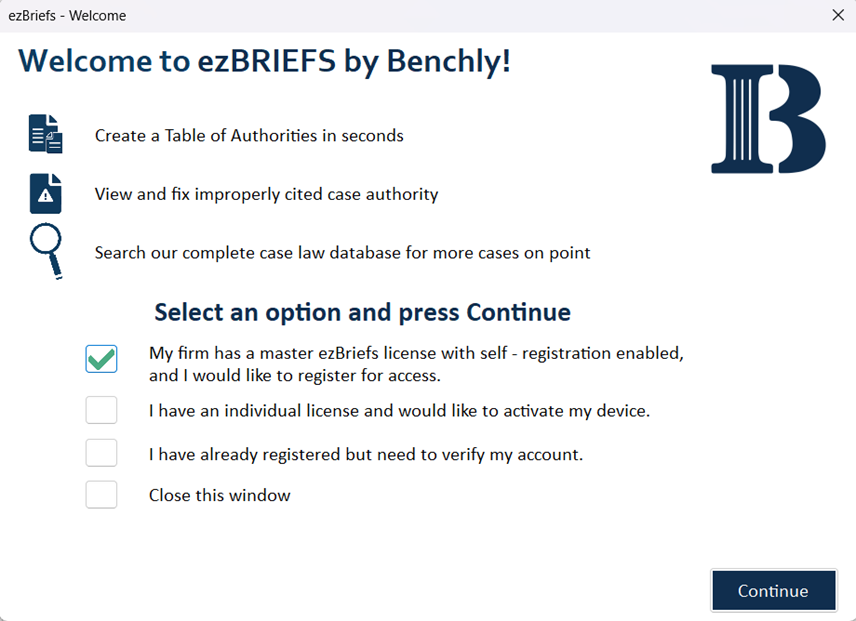
Firm Master License with Firm Email Self Registration
Check the box next to the first option, and the Registration screen will appear.
Enter your name, firm email, and choose a password to register. Once the form
is complete, click the Register button. The system will then send a
verification code via email, which you can enter to complete the activation process.
Related Articles
Benchly Best Practices Guide
Here users can find the Benchly Best Practices Guide (attached), which contains information on how to get started, optimally build a Table of Authorites, troubleshoot in Benchly, and more.
Account Dialogue Box
Using the Account Function Overview The Account icon in Benchly provides access to user-specific information, license details, and key support features. This dialogue box also allows users to manage their account settings, reset preferences, and ...
Hyperlinking Authorities
Hyperlinking Authorities Overview The Hyperlinking feature in Benchly allows users to link citations in their document to authoritative sources from Benchly’s comprehensive case law database. Recipients can access the linked cases directly without ...